
Odoo AI
AI right where you already work
Odoo AI is built right into your apps, answers questions about your numbers, writes texts, transcribes speech and triggers next steps in your workflows.
What Odoo AI handles day to day
Not an extra tool, but a helper in every app
When it comes to AI, many people think of a separate chat window you copy data into and fish answers back out of. Odoo AI works differently: the AI is built into the apps your team uses anyway and works with the data that’s already in Odoo. For example, you ask which quotes are still open this month and get the answer straight from the system.
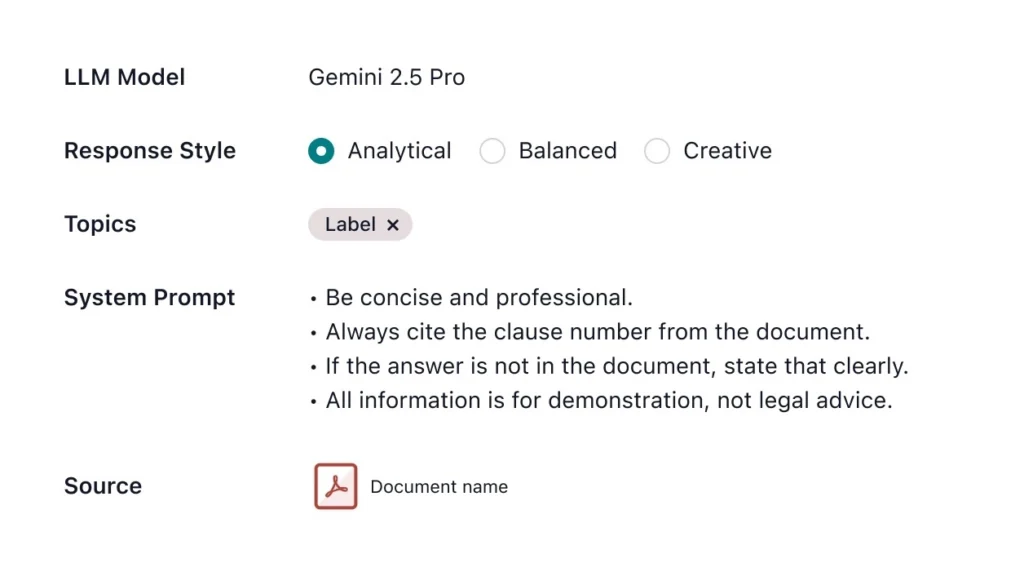
With AI agents you build helpers to your own specifications that trigger next steps in your workflows. AI fields fill in information automatically, in the chatter the AI helps you reply, and speech gets transcribed. For web pages and email templates it suggests texts that you only need to adjust to your tone. Important: you decide what the AI is allowed to do.
- AI agents: your own helpers built to your specifications
- Next steps: AI triggers the next step in the workflow
- Ask instead of search: query business figures in real time
- Speech transcription: spoken words become text
- AI fields and chatter: complete data, reply faster
- Texts: drafts for web pages and email templates
Where Odoo AI makes a difference
For teams that spend a lot of time on routine: inside sales sorting inquiries and preparing quotes, the accounting firm with lots of recurring questions, or management needing a number fast without first having a report built. Agencies and retailers who constantly write texts for their website and mailings are also spared staring at a blank page.
We take a sober view of AI: it doesn’t replace clean processes, but it makes good processes faster. For SMEs in Central Switzerland that have already implemented Odoo properly, it’s often the next logical step.
Let’s Doo shows you where AI really pays off in your processes, sets up agents and AI fields, clarifies questions about data and permissions and trains your team to use it sensibly.
How we bring Odoo AI into your business
Consulting
Before a single app gets installed, we look at how your business ticks. So by the end you know exactly whether – and how – Odoo fits you.
Ongoing Support
Odoo is never quite finished – and neither is your business. We stay with you for the long run, keep developing the system and think ahead with you.
Hosting
Fast, secure and compliant with both GDPR and revFADP: we host your Odoo in Switzerland, Germany or Finland – with backups, updates and maintenance. Your own hosting works too.
Support & Training
After go-live, everyday business begins. We’re there for your questions, train new team members and keep your Odoo in shape.
Customization
Odoo can do a lot – but not everything out of the box. We adapt fields, workflows and reports, and build custom modules when the standard isn’t enough.
Implementation
Starting fresh or switching over: from setup and data migration to training, we implement Odoo for you – carefully planned, step by step and never flying blind.
Odoo AI across all apps
Odoo AI doesn’t sit in its own corner of the system – it runs through all of it. In Odoo CRM it helps you quickly capture the conversation history of leads, in Odoo Helpdesk it suggests replies to tickets, and in Odoo Knowledge it helps write how-tos. In Odoo Email Marketing it delivers the first draft for templates, which you then adapt to your own tone. The rule everywhere: the AI makes the suggestion, your team decides.
AI with a plan, not with hype
In a free, no-obligation initial consultation, we find out where Odoo AI really takes work off your hands.
FAQ about Odoo AI
Your question isn’t here? Ask us directly – the initial consultation is free and without obligation.
What happens to our data when we use Odoo AI?
Odoo AI works within the permissions you define. For its answers, Odoo sends the content needed in each case to an external AI provider. Before the implementation, we’ll clarify with you which data this affects and how it fits your data protection requirements.
Do we need technical know-how for Odoo AI?
No. You use many features right in the apps you’re used to. For your own agents and automated workflows, we help with the setup.
Which edition is Odoo AI available in?
Odoo AI is part of Odoo Enterprise, the edition we recommend, and is integrated into the existing apps instead of running alongside them as a separate tool.