Let's Doo Track: your Odoo time tracking as an app
For Mac, iPhone, iPad and Apple Watch
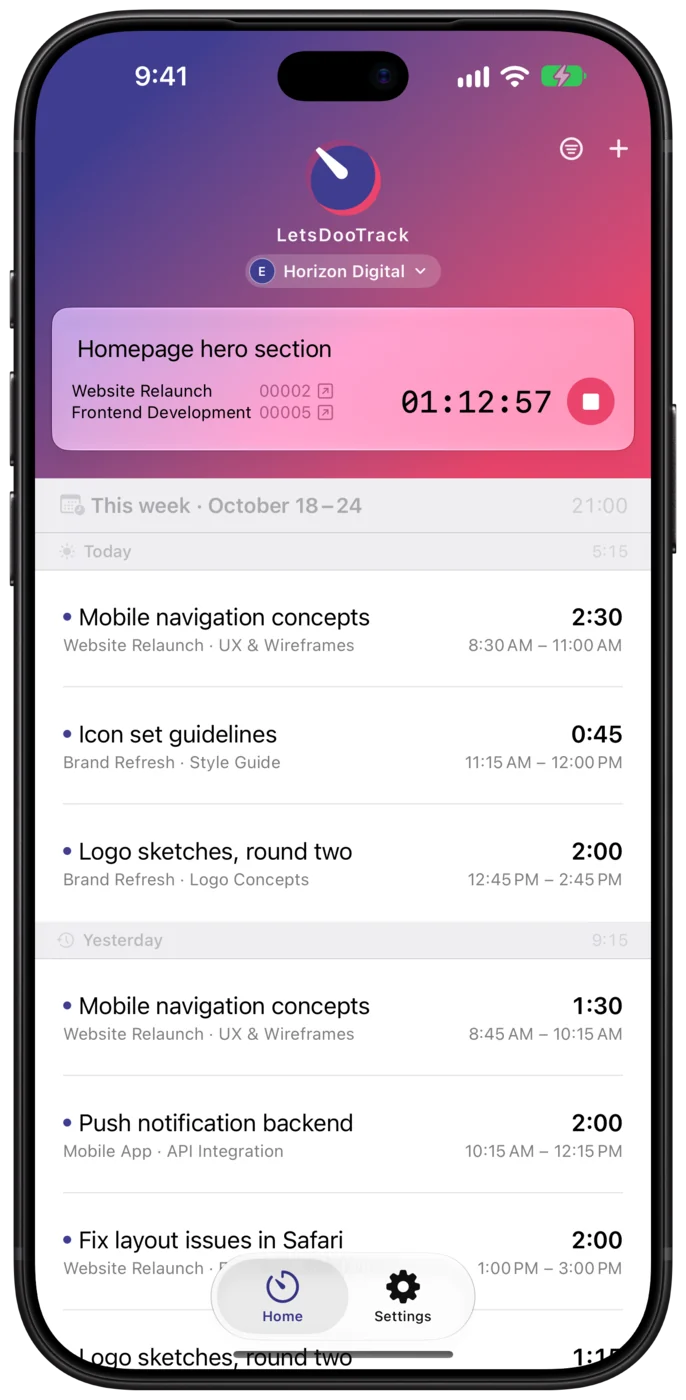
Start the timer, pick a project, done – your hours land straight in your Odoo Timesheets. On the Mac the app sits in the menu bar; on the go it fits in your pocket – or sits on your wrist.
Coming soon to the App Store
For iPhone, iPad, Apple Watch and Mac – iOS 17.5, watchOS 10.5 and macOS 14.6 or later
Track time without opening Odoo
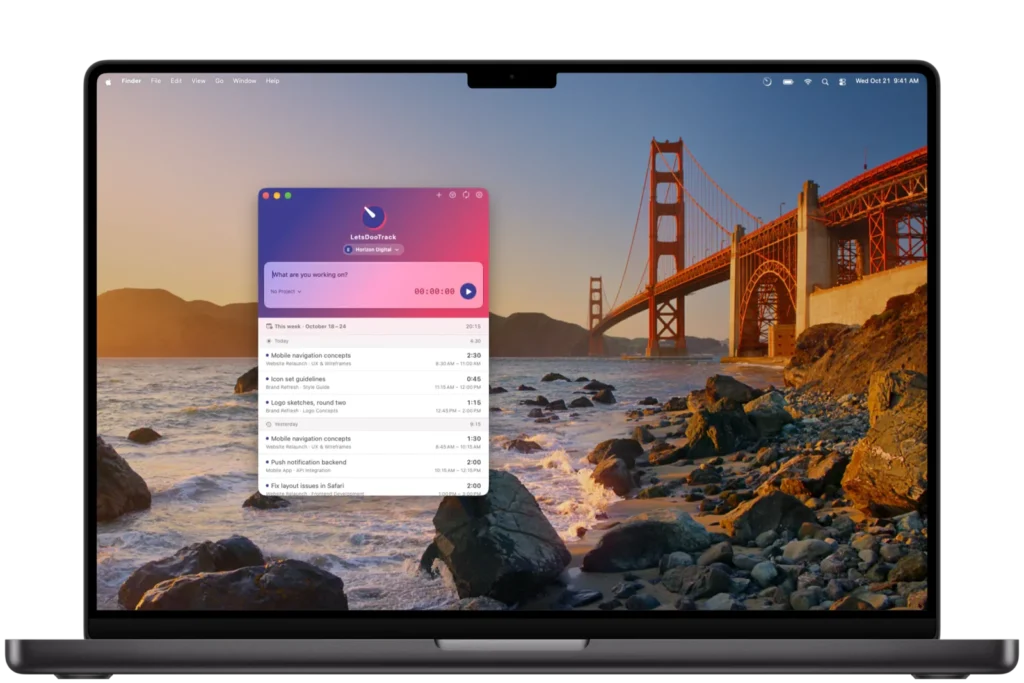
On the Mac, Let's Doo Track lives in the menu bar.
One click in the menu bar, pick a project or task, and the timer is running. Up top you can always see how long you’ve been at it, and on what. Your most recently used projects are a quick start away, and with your own keyboard shortcuts you start and stop the timer without taking your hands off the keyboard.
In the window, your entries are listed by week and day, with the totals. You edit each one directly: description, project, task, start and end. While the timer is running, the window shrinks to the essentials and, if you like, stays on top.
No browser tab that vanishes among twenty others – and no “I’ll fill that in on Friday.”
Everything that makes time tracking easier
Let's Doo Track is deliberately lean. Here's what's inside:
-
One-click timer
Start, stop, discard. You enter the description and project while the clock is already running.
-
Quick start
Your most recently used projects and tasks are at the top. Or start a new timer straight from an earlier entry.
-
Find projects and tasks
Search across all projects and tasks in your Odoo, with tasks grouped by stage and the customer name shown.
-
Reminders
If no timer is running, the app gives you a nudge – at the interval, times and weekdays you choose.
-
Pomodoro
Work and break blocks with notifications. Breaks don't end up in Odoo – nobody bills for those anyway.
-
Auto-stop
Forgot the timer over the weekend? After the time you've set, the app stops it, books only that time and asks whether you want to keep going.
-
Multiple accounts and companies
Several Odoo instances, or several companies in one? Each becomes its own account, you switch with one click, and your entries stay neatly separated.
-
On the watch face
With Apple Watch, you have the running timer or today's time on your watch face and in the Smart Stack.
-
Two-way sync
What you change in Odoo comes into the app, and vice versa. If there's a conflict, the newer change wins.
-
Track offline
No signal, or the server is taking a break? The app still opens with your data, and entries sync as soon as the connection is back.
-
Clear messages
If your Odoo can't be reached or access to the local network is blocked, the app tells you why – and reconnects on its own. If the database is missing after an upgrade, it tells you that too.
-
Validated time stays put
Whatever is already validated in Odoo is read-only in the app. That keeps billing clean.
Straight into your Odoo Timesheets
No clipboard, no export, no import.
Let’s Doo Track writes every entry into your Odoo as a timesheet entry – with project, task, description and duration, and the exact start time too if you like. Anything you add or correct in Odoo, the app pulls back in at the next sync.
From any entry, one click takes you to Odoo: to the entry, the project, the task or the customer. Analyzing, validating and invoicing then happen where they belong.
Odoo Timesheets at a glance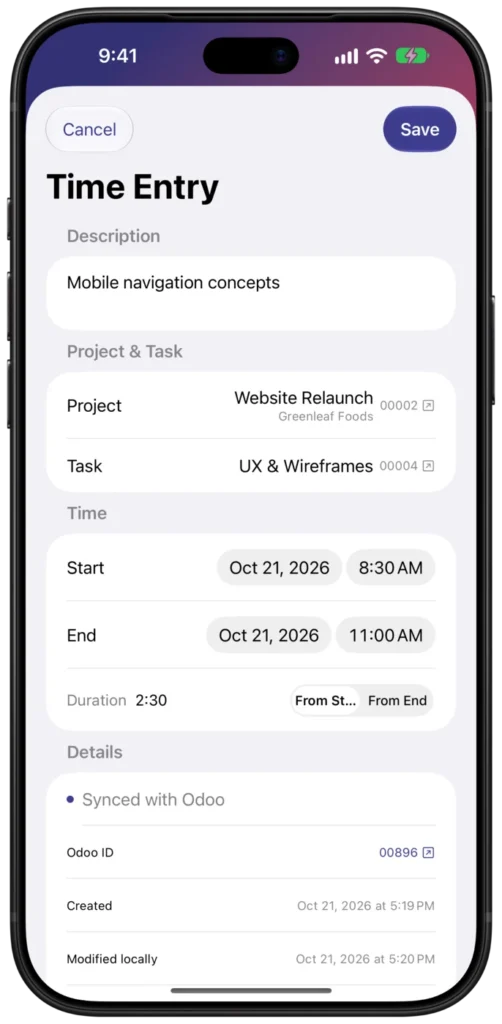
Mac, iPhone, iPad and Apple Watch
The same times everywhere – because everything lives in Odoo.
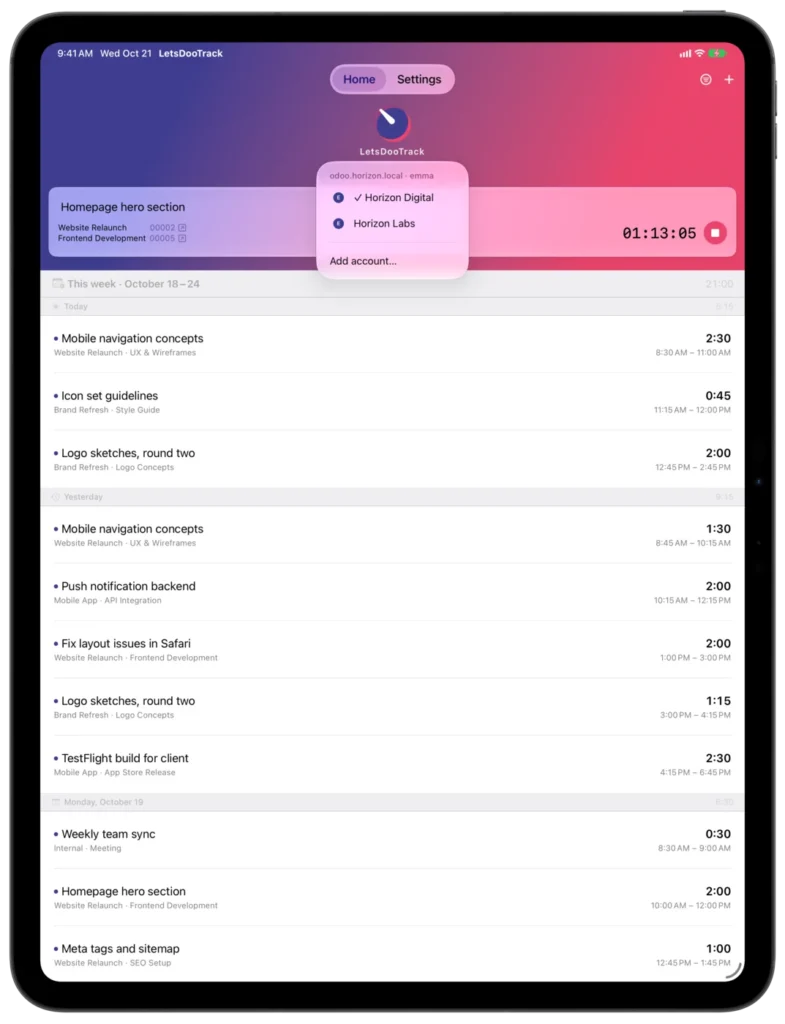
At your desk the timer runs in the menu bar, on the go on your iPhone, in meetings on your iPad and in between on your Apple Watch. Mac, iPhone and iPad each sign in to your Odoo with your API key; the watch works through your iPhone. Whatever you track on one device shows up on the others after the sync.
Do you work in several Odoo instances, or for several companies in one? Then you add each one as its own account – with its Odoo profile picture, so you recognize it at a glance – and switch with one click at the top of the window. If a timer is still running, the app asks first and books it to the previous account.
Light or dark, just as your system is set – and on the latest versions of macOS and iOS in the glass look Apple is currently prescribing for everyone.
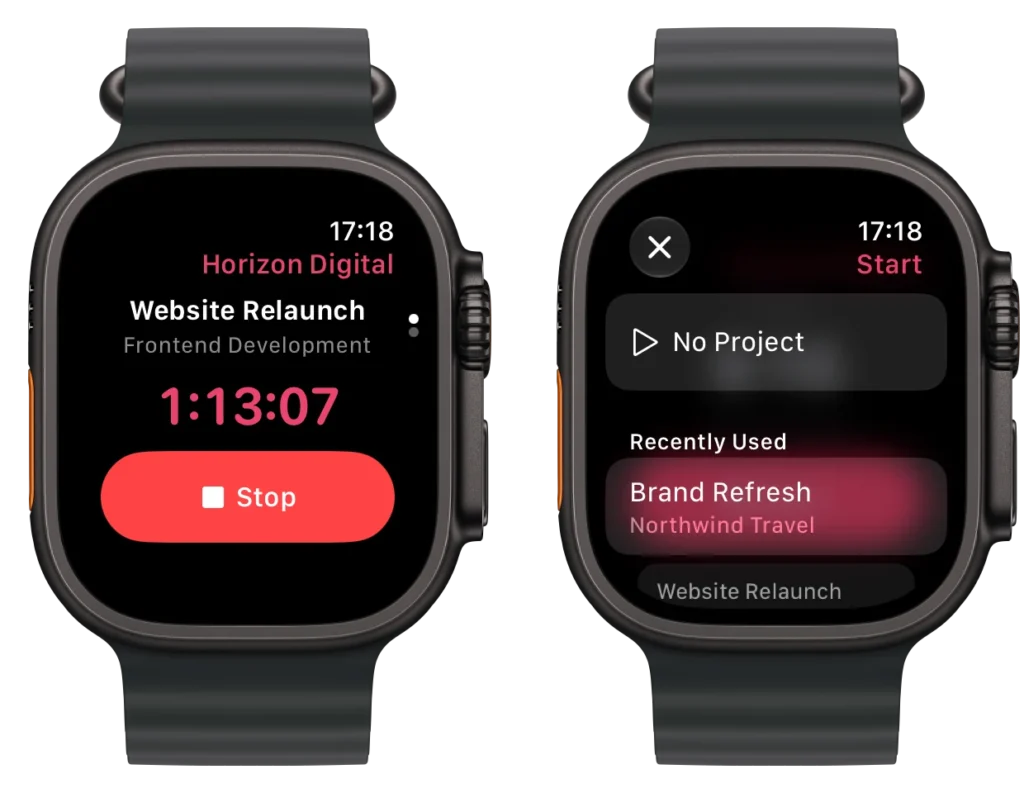
On your wrist: Apple Watch
Stop the timer without glancing at your phone in front of a customer.
On Apple Watch you see the running timer with project and task, on the watch face and in the Smart Stack too. One tap stops it. You start a new one with one of your recently used projects and its tasks, or pick up again with an entry from today. You also see how much time has added up today.
The watch only talks to your iPhone, never directly to Odoo, and knows no credentials. If your iPhone is out of range, the watch remembers your tap along with the time and passes it on as soon as the phone is back – the time booked is the moment you tapped. And the buttons in notifications, such as for a break or to keep working, work on the watch too.
What you need
- Odoo 17, 18, 19 or 20 with the Timesheets app – Community or Enterprise
- An Odoo user with access to Timesheets and an API key – you create it in Odoo in your profile under “Account Security”
- Odoo Online, Odoo.sh or self-hosted – even on a server in your own network; for that, the app asks you once for access to the local network
- An iPhone or iPad with iOS 17.5 or later, or a Mac with macOS 14.6 or later
- For Apple Watch: watchOS 10.5 and a paired iPhone with Let’s Doo Track
Your data only travels from your device to your Odoo. We see none of it: no analytics, no tracking, no ads. More in the app’s privacy policy; what you’re allowed to do with the app is set out in the license terms.
No Odoo yet – or a time tracking tool nobody likes?
We implement Odoo for SMEs and set up time tracking, projects and invoicing to fit your business. The initial consultation is free and no-obligation.
Frequently asked questions about Let's Doo Track
Your question isn’t here? Ask us directly – the initial consultation is free and without obligation.
Which Odoo versions does Let’s Doo Track work with?
With Odoo 17, 18, 19 and 20, including the current versions of Odoo Online. The app detects the version by itself when you sign in, and usually the database too; it only asks for it where your server doesn’t reveal it. The one requirement: the Timesheets app has to be installed in your Odoo.
Do I need Odoo Enterprise?
No. Timesheets is part of Odoo Community as well as Enterprise, and the app talks to both, from Odoo 17 to 20. For businesses we still recommend Enterprise – you’ll find out why on our Odoo page.
Will the app still work once Odoo drops XML-RPC?
Yes. Odoo is replacing the old XML-RPC interface with the new JSON-2 API: XML-RPC goes away with Odoo 22, and on Odoo Online with version 21.1. Let’s Doo Track already speaks JSON-2 from Odoo 19 on and only uses XML-RPC with Odoo 17 and 18.
What happens to the app when we upgrade Odoo?
Usually nothing you need to worry about: the app detects the new Odoo version by itself and then speaks the matching interface. If the upgrade renamed the database, it reports “Odoo database not available” and offers you “Change database”. That moves your account to the new database, along with your settings and any entries that haven’t synced yet. Before it does, the app checks that your entries really are there. And the upgrade itself? We’re happy to guide you through it.
We work with several companies – does that work?
Yes. If your Odoo user has several companies, you choose the one you want when you sign in. Each becomes its own account with its own projects and entries. You can add several Odoo instances the same way, for example if you work for different clients. Switching takes one click.
Do I need an iPhone for Apple Watch?
Yes. The Watch app is the companion to the iPhone app: the watch talks to your iPhone, and the iPhone to your Odoo. That’s why you never sign in on the watch, and it stores no credentials.
Does it work with Odoo Online too?
Yes, as long as your Odoo allows access via the external API – on Odoo Online that depends on your plan. Odoo.sh and self-hosted installations work without any extra steps. Not sure? Ask us and we’ll look into it with you.
Can I track time without internet?
Yes. Entries are saved on the device first and synced as soon as the connection to your Odoo is back. The list shows you which entries haven’t synced yet.
Where is my data stored?
On your device and in your Odoo, nowhere else. The app keeps your API key in your device’s keychain. Let’s Doo runs no server in between and collects no usage data. Details in the app’s privacy policy.
How do I get my API key?
In Odoo, open your profile at the top right and create a new API key in the “Account Security” tab. Paste it into the app when you sign in – Odoo shows it only once. Your password works in a pinch too, but the app will then recommend the key, because from Odoo 19 on the new interface requires it.
When will Let’s Doo Track be available?
Soon. Let’s Doo Track is coming soon to the App Store, for iPhone, iPad, Apple Watch and Mac. As soon as it’s out, you’ll find the download link at the top of this page. Want us to let you know? Write to us via the contact form.
Is Let’s Doo Track also available for Android, Windows or Linux?
Not yet, but they’re on the way: versions for Android, Windows and Linux, on Linux also for Omarchy.